Introduction
If you want your website to rank higher on Google, attract more clients, and grow your online presence, On-Page SEO is the first thing you need to master.
On-Page SEO includes everything you can control inside your website — your content, structure, headings, metadata, keywords, speed, and internal links.
The good news? You don’t need to be a technical expert to apply these optimizations. This guide gives you a modern, beginner-friendly On-Page SEO checklist for 2025 — practical and perfect for small businesses, freelancers, and growing brands.
What Is On-Page SEO?
On-Page SEO refers to all optimization techniques applied directly on your web pages to improve ranking and user experience.
It includes:
- Titles & headings
- Meta descriptions
- URL structure
- Keyword placement
- Image optimization
- Content layout
- Internal linking
- Schema markup
- Page speed
Strong On-Page SEO helps Google understand your topic clearly — which leads to higher rankings.
Why On-Page SEO Matters in 2025
Google can now detect:
- Good versus shallow content
- Poor user experience
- Slow pages
- Unclear structure
- Missing metadata
- Keyword stuffing
Doing On-Page SEO properly gives your site:
- Higher visibility
- Better organic traffic
- More inquiries
- Stronger authority
- Higher conversion rates
Below is the full checklist.
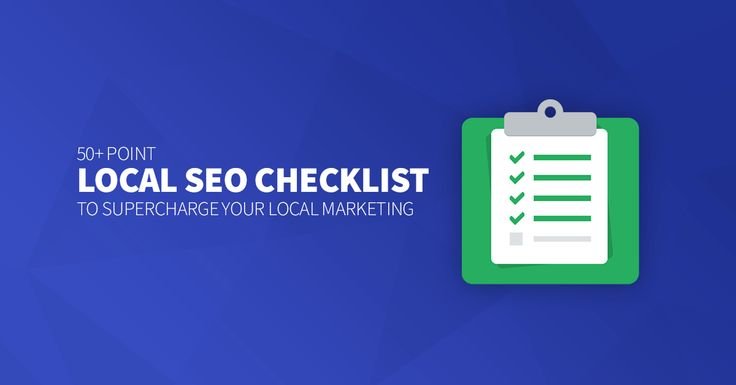
On-Page SEO Checklist for 2025
1. Write a Strong SEO Title (H1 Tag)
Your page should have only one H1.
Tips:
- Include your main keyword
- Keep it clear and useful
- Avoid overly promotional titles
Example:
- ❌ “BEST WEBSITE DEVELOPERS SUPER BIG DISCOUNT 2025!”
- ✔ “Professional Website Development for Small Businesses in 2025”
2. Use Proper Heading Structure (H2, H3, H4)
Your content should follow a clear hierarchy so Google and users can scan easily:
- H1 — Main page title
- H2 — Main sections
- H3 — Subtopics
- H4 — Supporting points
3. Optimize Your Meta Title & Description
Meta Title Tips:
- Include the main keyword
- Keep it between 50–60 characters
- Add clarity or value
Meta Description Tips:
- 140–160 characters
- Readable and natural
- Explain what users will learn
4. Use Short, Clean, SEO-Friendly URLs
Example:
- ❌ /p127839?id=514
- ✔ /web-design-trends-2025
Clean URLs improve trust and help search engines understand your topic.
5. Add Your Main Keyword in the First 100 Words
Google checks the beginning of your content first. Mention your topic early — naturally, without forcing it.
6. Use Internal Links
Internal linking helps:
- Google crawl your site better
- Users read more pages
- Increase your ranking
Example:“If you want to improve performance, read our Guide to Page Speed Optimization.”
7. Use External Links to High-Authority Sources
Linking to trusted websites (Google, .gov, research articles) improves credibility.
8. Optimize Your Images (Use WebP)
Follow best practices:
- Use WebP format
- Compress images
- Use descriptive filenames
- Add ALT text with your keywords
ALT text also improves accessibility.
9. Write Helpful, Readable, Human-First Content
Google focuses on:
- Experience
- Expertise
- Authority
- Trust
Keep your content:
- Simple
- Helpful
- Clear
- Practical
- Value-driven
10. Add Schema Markup (JSON-LD)
Useful schema types:
- Article
- Local Business
- FAQ
- Breadcrumb
- Product
Schema improves rich snippets, CTR, and visibility.
11. Improve Page Speed (Core Web Vitals)
Ways to improve speed:
- Compress images
- Use strong hosting
- Enable caching
- Minify CSS & JS
- Remove large scripts
- Lazy-load images
A fast website ranks better and converts better.
12. Use a Clear Call-to-Action (CTA)
- Get a Quote
- Book an Appointment
- Contact Us
- Learn More
A good CTA increases engagement — which affects your rankings.
13. Avoid Keyword Stuffing
Use your keyword naturally in:
- Headings
- 2–4 sections
- ALT text
- Metadata
But don’t overdo it — Google penalizes repetition.
14. Make Your Content Skimmable
Use:
- Bullet points
- Short paragraphs
- Spacing
- Highlights
Good formatting keeps users reading longer.
15. Add a FAQ Section (Optional but Powerful)
FAQ helps you rank for:
- Question-based keywords
- “People Also Ask” results
- User clarity and conversions
Final Thoughts
On-Page SEO is one of the strongest foundations for ranking your website on Google. Most strategies are simple, beginner-friendly, and can be applied immediately.
If you follow this checklist consistently, your website will improve in:
- Rankings
- Visibility
- Authority
- User Experience
- Conversions
Start with small improvements — the results build over time.